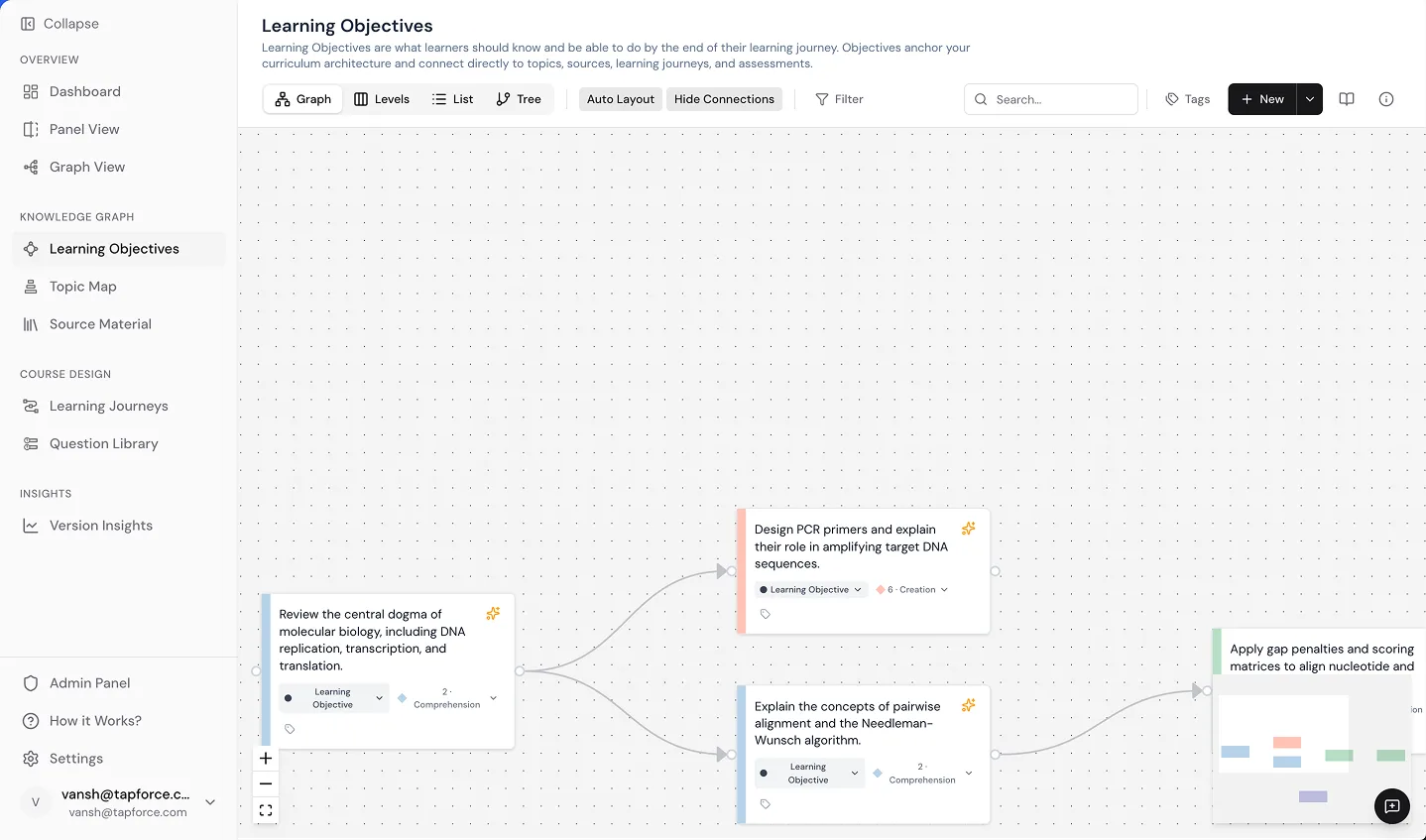
KNOWLEDGE GRAPH The curriculum as a living system.
The Knowledge Graph gives you three connected workspaces: Learning Objectives, Topic Maps, and Source Materials. See exactly how every part of your curriculum connects, what it covers, and where it comes from.
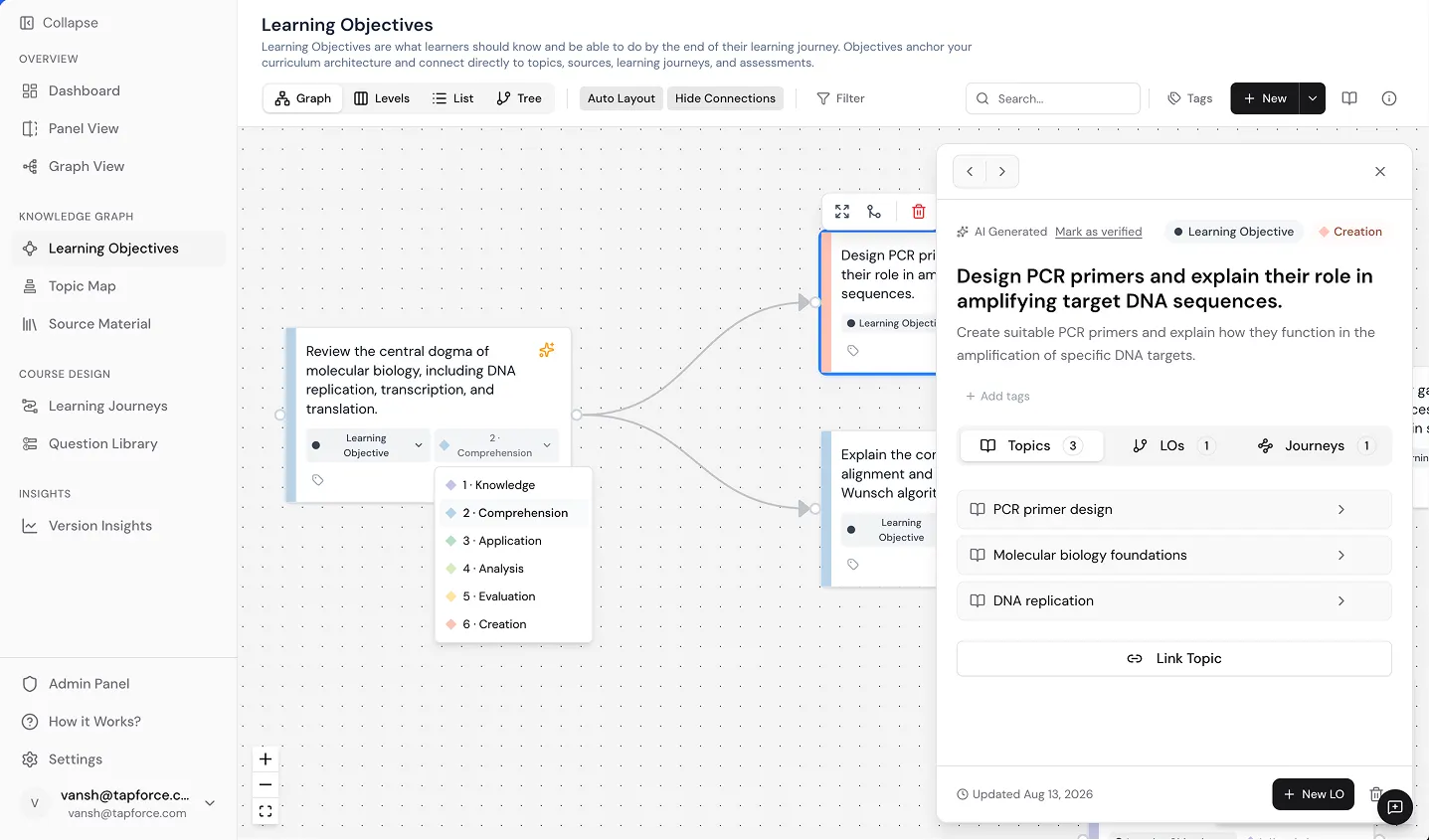
Learning objectives anchored to Bloom's Taxonomy.
Each learning objective tells you what a learner will know or be able to do. In Keystone, every objective is connected to the topics it covers, the source material it draws from, and the assessments that test it. You can explore them in Graph View, organized by Bloom's Taxonomy level, in a flat List, or as a hierarchical Tree.
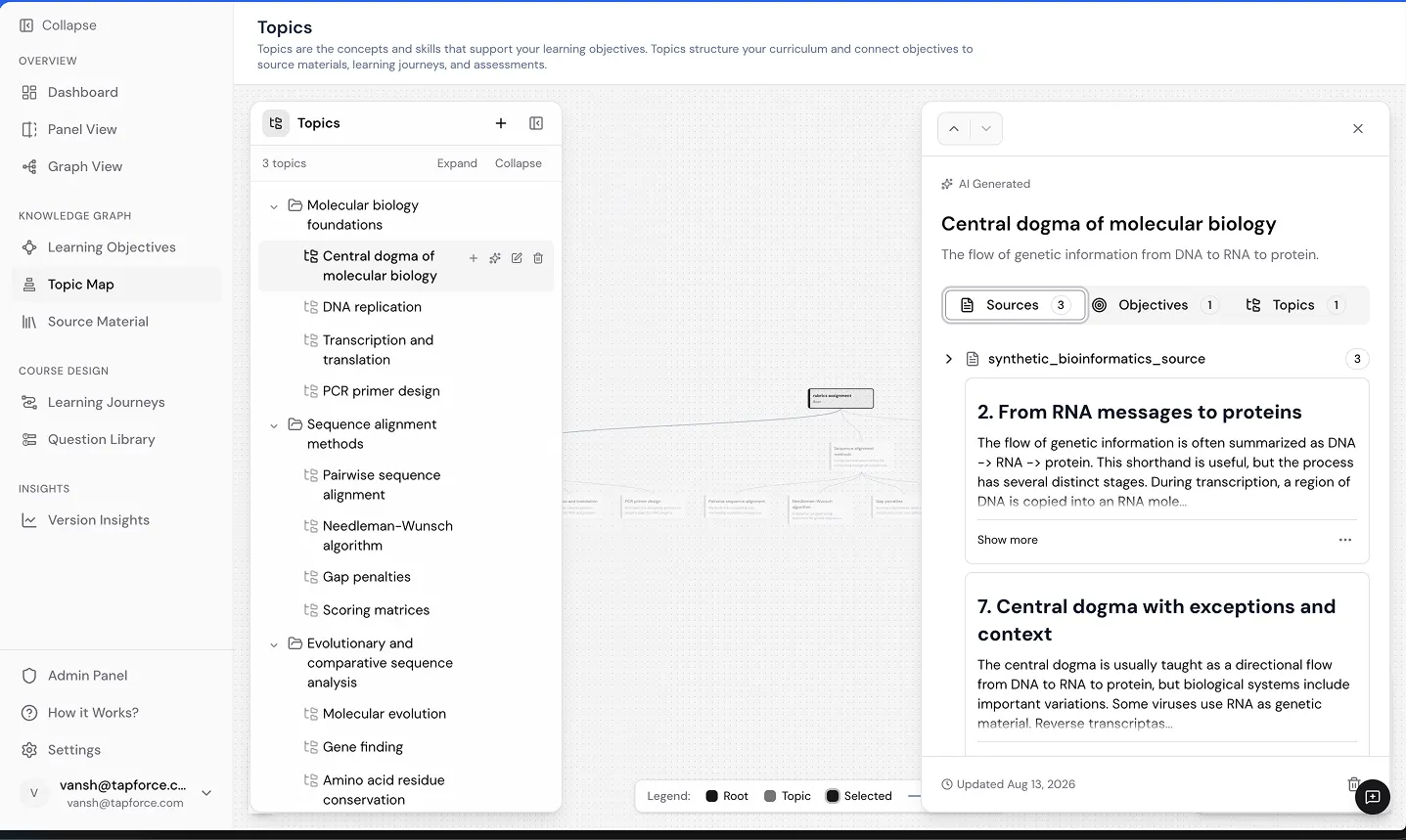
See your curriculum as a clean map of connected topics.
The Topic Map organizes your curriculum into a nested structure of concepts, chapters, and competencies. For any topic, you can instantly see which learning objectives it supports and which source material excerpts it draws from. Filter by domain or scroll the full map to understand how your content fits together.
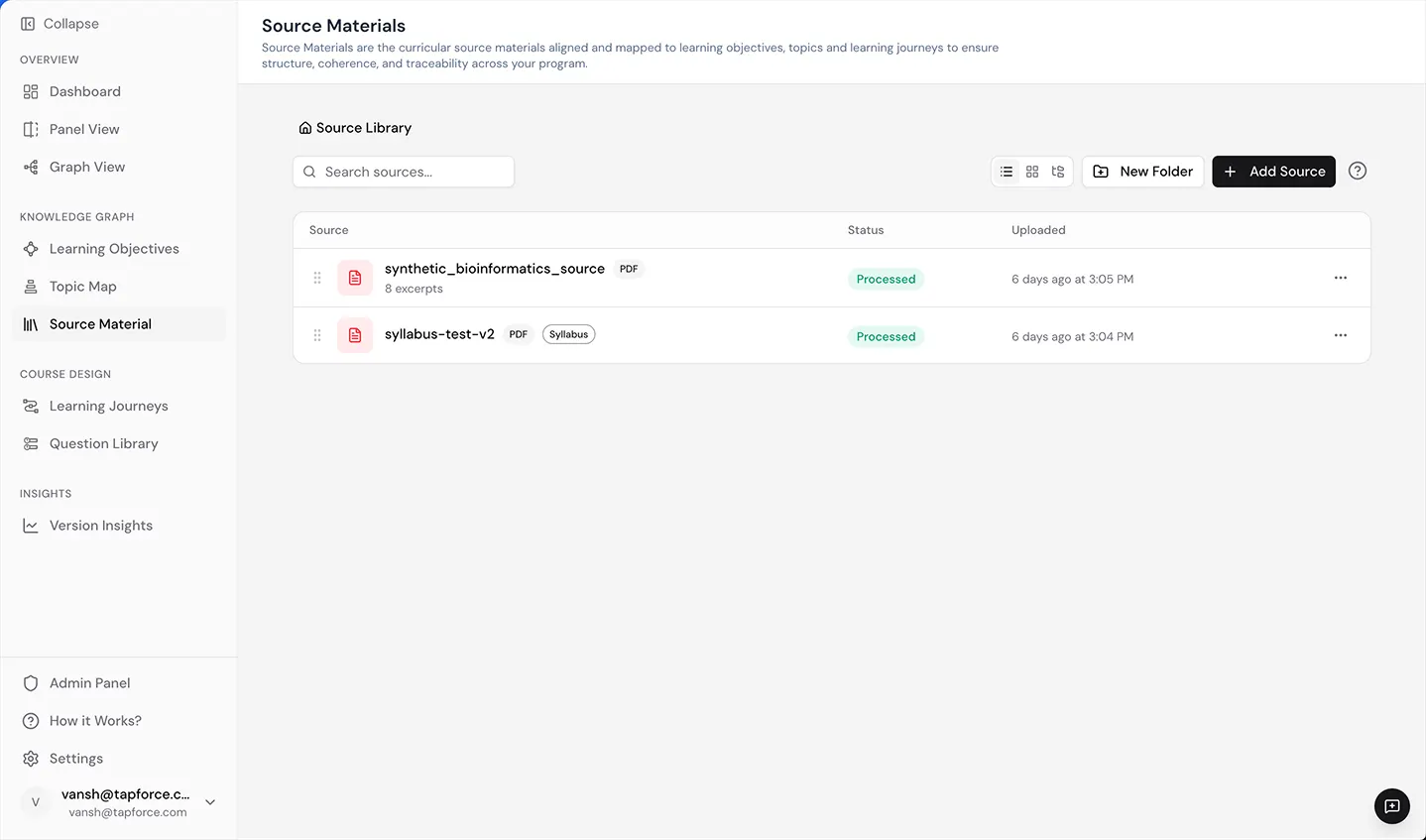
A unified library for all your institutional source material.
Upload your institutional materials in PDF, DOCX, HTML, Markdown, or RTF. Keystone processes them into a searchable, centralized library. Every excerpt is linked directly to the topics and objectives it informs, so you always know where your curriculum's content comes from.
See how the graph enhances your own curriculum.
Bring a syllabus, catalog, or degree program and we'll show you how it looks as a connected, living knowledge graph.
Connected so nothing gets built twice. Traceable so evidence is ready when you need it. Reconfigurable so what comes next builds on what you already have.
Knowledge graph makes your curriculum intelligent.