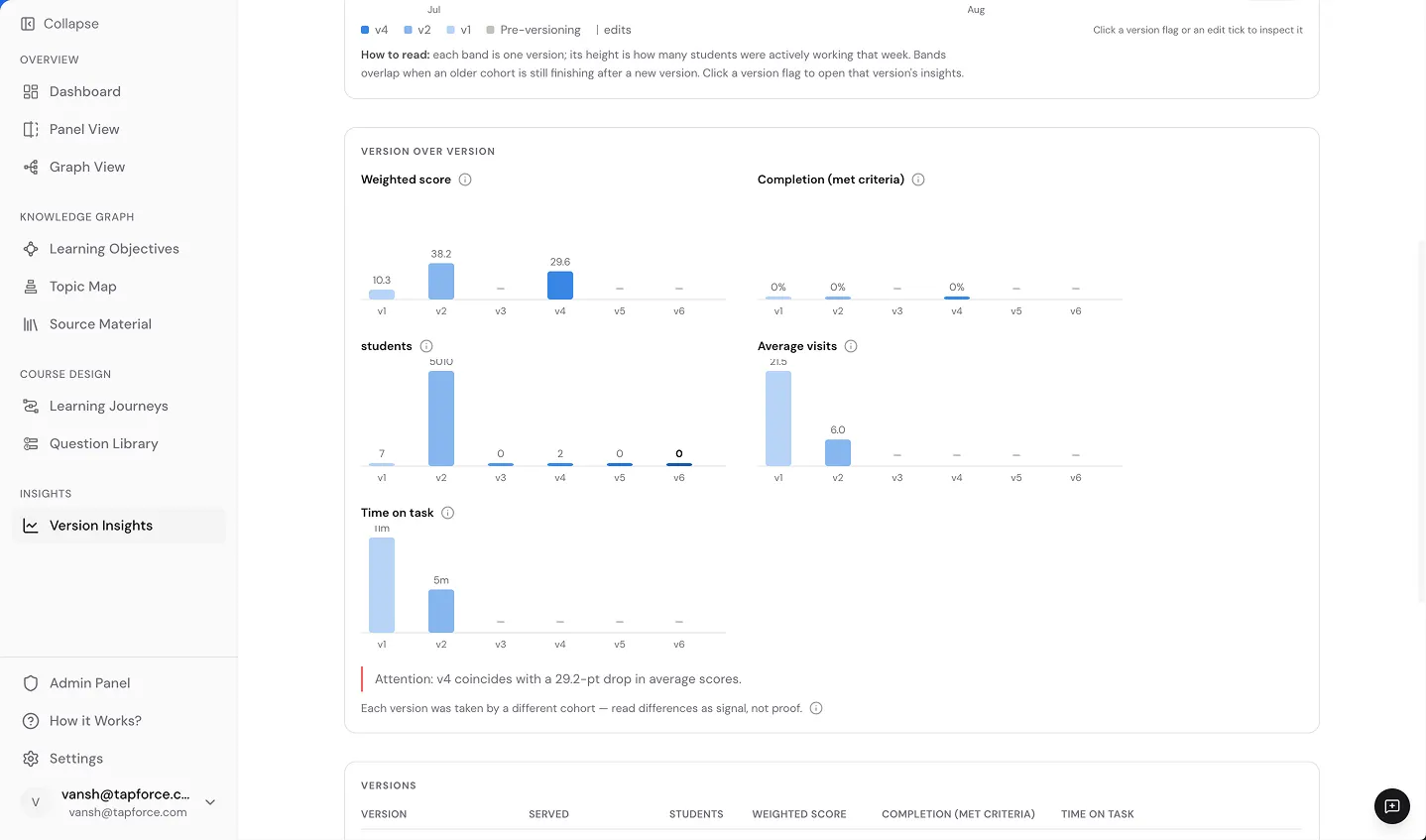
Every time your curriculum changes, Keystone saves that version. You can go back and see exactly how each version performed, who was taught with it, and how those results compare to what came before.
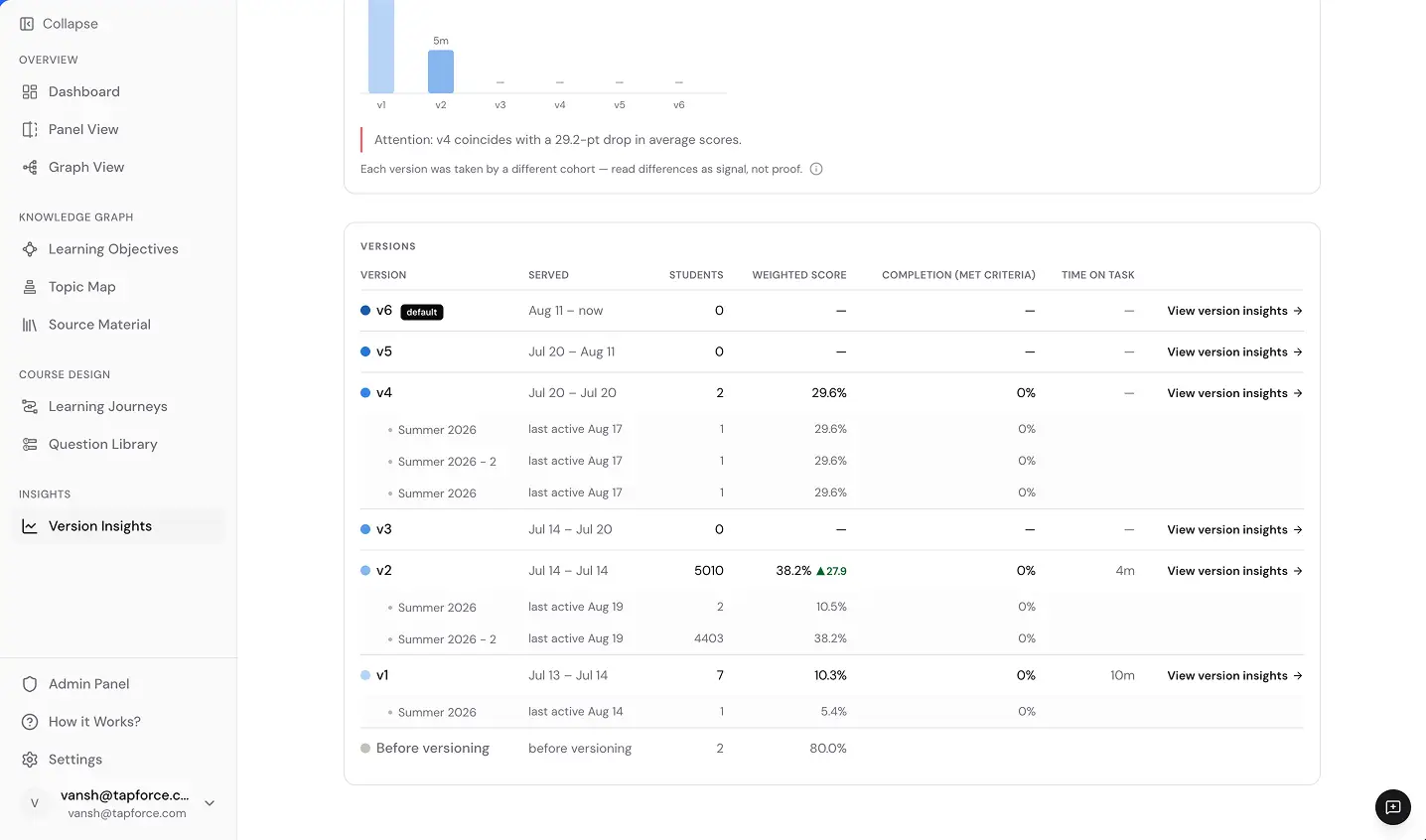
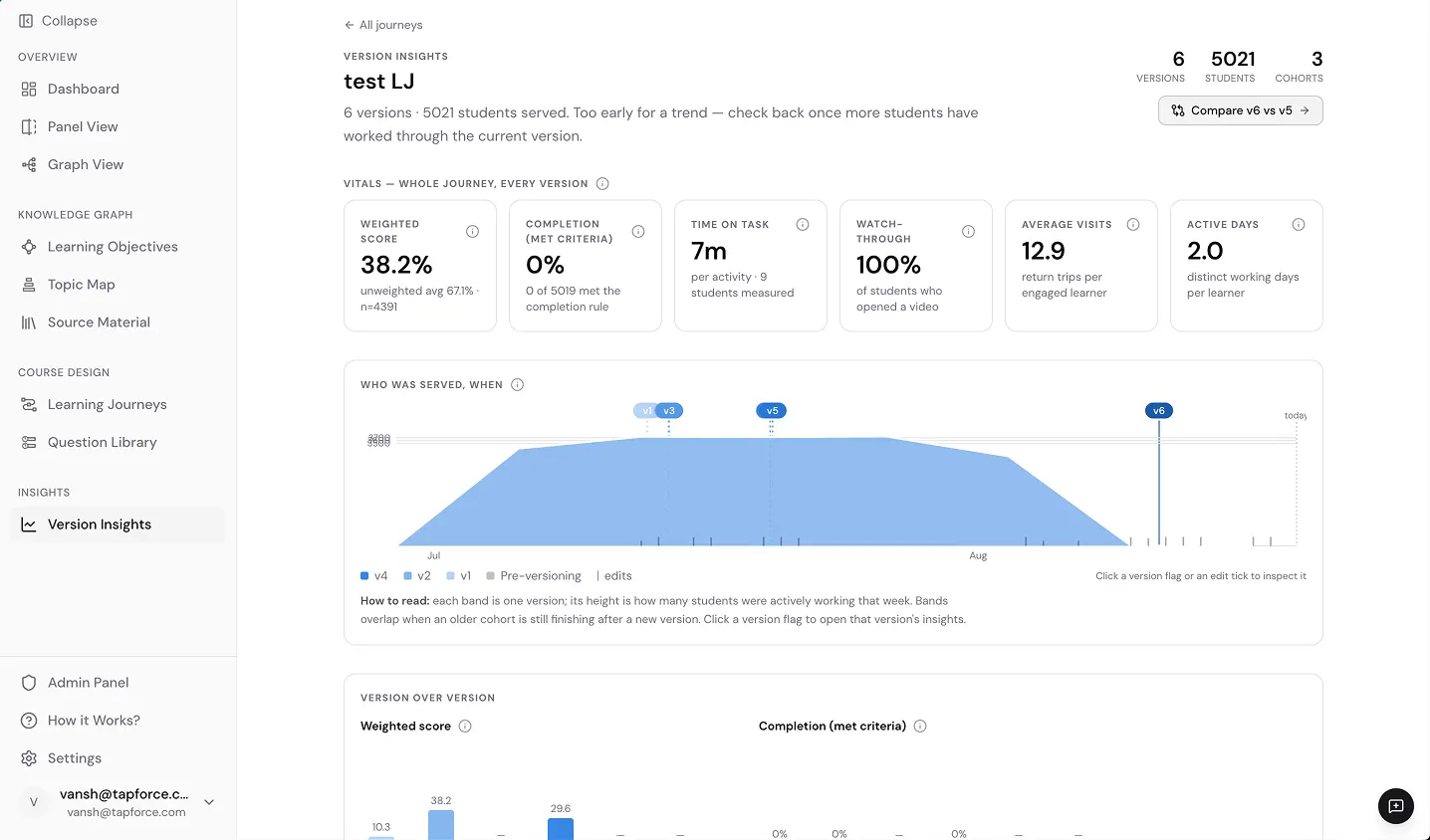
When a program updates, the previous version isn't gone. It stays in Keystone, fully intact and queryable. You can see exactly when each version was in use, how long learners spent on it, how many visits they made, and what their completion and video watch-through rates looked like.
After each version, you get a clear picture of how students performed: completion rates, weighted scores, time on task, and number of visits. Keystone surfaces where scores changed between versions so you can tell whether an update helped, hurt, or made no difference.
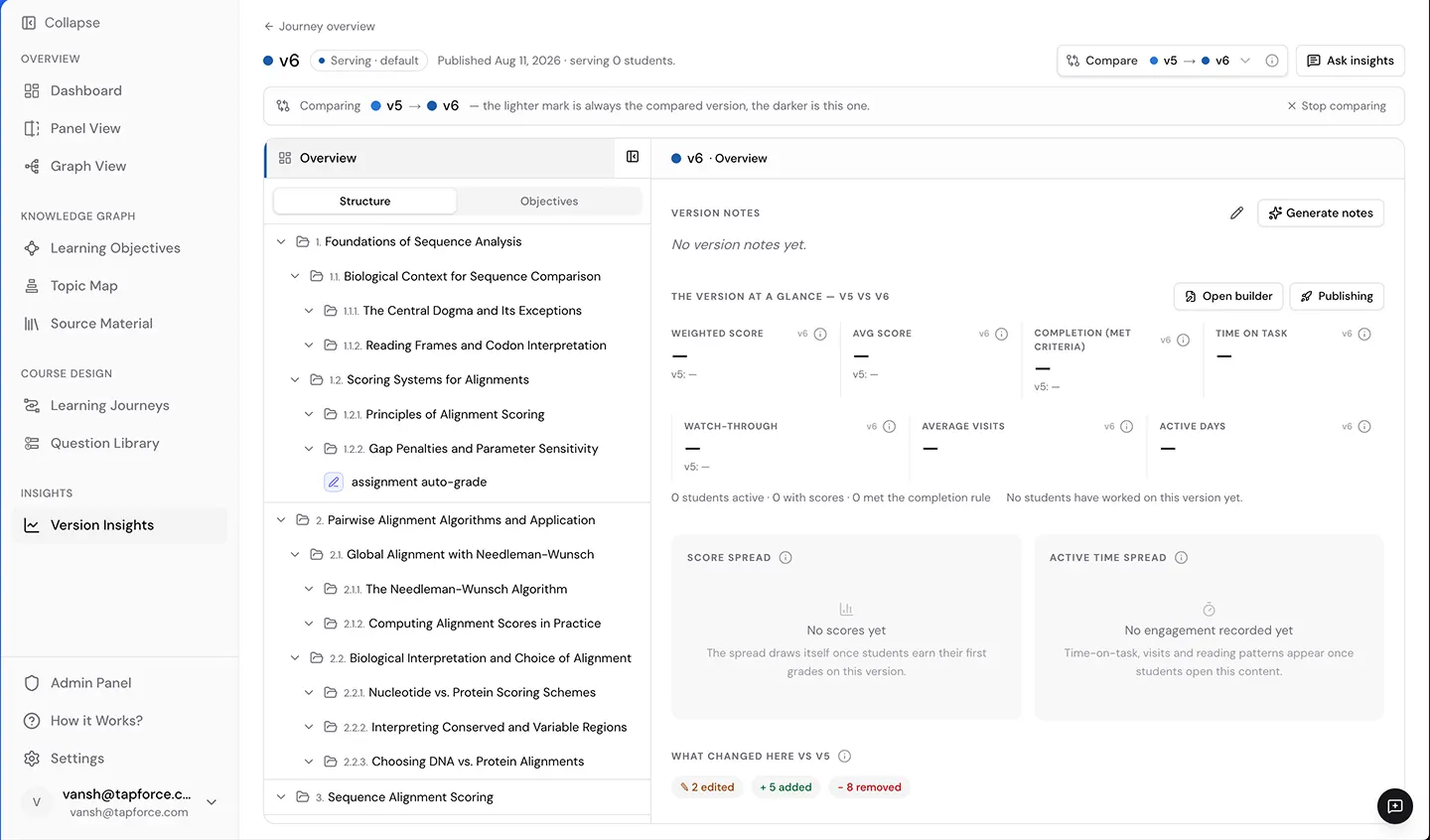
Pick any two versions and see them side by side. You get an exact count of what was added, edited, or removed across objectives and modules. And alongside that structural view, you can compare how students actually did across both versions to understand whether the changes were worth making.
Bring any curriculum that has recently changed and we'll show you what Keystone would have captured, and what it might have prevented.
Every change logged. Every decision traceable. Every prior state available without digging through emails.
Version control that makes governance effortless.